
Download Freeplay – AI Prompt Optimization Tool for LLM Teams
Overview: What Freeplay Brings to LLM‑Driven Product Development
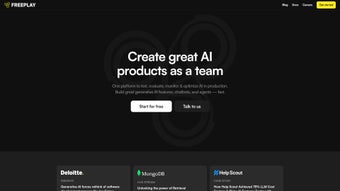
Freeplay is a web‑based platform built specifically for product teams that rely on large language models (LLMs) to power conversational interfaces, content generation, or data‑analysis features. The core mission of Freeplay is to shift prompt‑engineering work from a handful of engineers to a collaborative, low‑code environment where designers, product managers, and data scientists can experiment, test, and iterate without writing extensive code. By centralising prompt libraries, automated test suites, and AI‑driven evaluation metrics, Freeplay turns what is traditionally a time‑consuming, manual process into a fast, reproducible workflow.
The platform supports instant switching between multiple LLM providers—whether you are using OpenAI’s GPT‑4, Anthropic’s Claude, or any self‑hosted model—allowing teams to compare latency, cost, and output quality side by side. Freeplay’s built‑in “human‑labeling jobs” let you launch crowdsourced validation tasks directly from the UI, turning raw model responses into trusted data points that feed back into prompt refinement loops. This approach not only improves model reliability but also builds user trust by demonstrating that the system has been vetted by real people.
Companies such as Help Scout and Framer have reported measurable reductions in time‑to‑market after integrating Freeplay into their development pipelines. By offering SDKs for Python, Node, and Java, Freeplay also respects the technical preferences of engineering teams, enabling seamless embedding of its services into CI/CD pipelines or custom dashboards. Whether you are a startup looking to prototype an AI‑powered chatbot or an enterprise aiming to fine‑tune a suite of language‑model‑backed micro‑services, Freeplay provides a secure, scalable, and collaborative environment that accelerates the entire lifecycle of LLM‑driven products.
Key Features That Power Prompt Optimization and Team Collaboration
- Prompt Library & Versioning: Store, tag, and restore prompts with full version control, making it easy to roll back to a known‑good state.
- Automated Testing Framework: Define test cases once and run them across multiple LLMs with a single click, capturing success rates, error patterns, and edge‑case failures.
- AI‑Driven Evaluation Metrics: Leverage built‑in sentiment analysis, relevance scoring, and hallucination detectors to automatically grade model outputs.
- Human‑Labeling Jobs: Launch crowdsourced validation tasks directly from the UI, collect structured feedback, and feed results back into prompt tuning loops.
- Multi‑Model Switching: Compare performance, latency, and cost across OpenAI, Anthropic, Cohere, and self‑hosted models without leaving the platform.
- Cost & Latency Dashboard: Visualise real‑time token usage, dollar cost, and response times per prompt, helping product owners make data‑driven budgeting decisions.
- Collaboration Suite: Assign prompts to team members, comment inline, and track change history, fostering transparent teamwork.
- Developer SDKs: Access Python, Node, and Java libraries to embed Freeplay’s API into custom CI pipelines, internal tools, or third‑party dashboards.
- Self‑Hosting Option: Deploy the platform on‑premise or within a private cloud for organisations with strict data‑privacy requirements.
- Secure Role‑Based Access Control (RBAC): Define granular permissions for read, write, and admin actions, ensuring only authorised users can modify critical prompts.
Each feature has been designed with a specific pain point in mind. For example, the automated testing framework eliminates the need for repetitive curl commands or bespoke scripts, while the cost dashboard prevents surprise overruns by surfacing token consumption in real time. The collaboration suite mirrors the functionality of modern project‑management tools, allowing non‑technical stakeholders to provide feedback directly on prompt drafts, thereby reducing the back‑and‑forth that typically slows down AI product cycles.
From a security perspective, Freeplay encrypts all stored prompts and test data at rest and in transit, complying with ISO‑27001 and GDPR standards. This makes it suitable for industries such as finance, healthcare, and legal services where data confidentiality is non‑negotiable. By unifying prompt engineering, testing, evaluation, and collaboration under a single web interface, Freeplay transforms a fragmented workflow into a cohesive, measurable process.
Installation, Usage, and Compatibility – Getting Freeplay Up and Running
Step‑by‑Step Installation
- Create an Account: Visit freeplay.ai and sign up using your corporate email. A verification link will be sent to confirm ownership.
- Choose a Deployment Option: Select “Cloud SaaS” for instant access or “Self‑Host” if you need on‑premise control. The self‑host option provides a Docker Compose file that sets up the backend, database, and UI services.
- Configure API Keys: In the Settings → Integrations panel, paste your OpenAI, Anthropic, or custom LLM API keys. Freeplay validates the keys and displays available models.
- Set Up RBAC: Define roles (Admin, Engineer, Product Manager, Viewer) and assign them to team members. Permissions can be fine‑tuned per project.
- Import Existing Prompts (Optional): Upload JSON or CSV files containing your current prompt library. Freeplay will automatically create versioned entries.
Using the Platform Effectively
Once logged in, the dashboard presents three primary tabs: Prompts, Tests, and Analytics. To create a new prompt, click “New Prompt”, give it a descriptive name, select the target LLM, and write the template using Jinja‑style variables. You can then attach a test suite that defines input examples and expected output patterns. Running the suite generates a results table that highlights success rates, latency, and cost per token.
The Human‑Labeling workflow is initiated from the “Jobs” tab. Choose the test case, set the number of reviewers, and provide a brief instruction set. Freeplay integrates with popular crowdsourcing platforms (e.g., Amazon MTurk, Figure Eight) and aggregates the feedback into a structured CSV that can be imported back into the prompt library for further refinement.
All actions are logged in an immutable audit trail, making it simple to trace who changed a prompt, when, and why. This transparency is essential for compliance audits and for maintaining a high‑trust development environment.
Compatibility and System Requirements
Freeplay is a web‑based SaaS that runs on any modern browser (Chrome, Edge, Firefox, Safari) across Windows 10/11, macOS Ventura and later, Linux distributions, as well as mobile browsers on Android 12+ and iOS 15+. The optional self‑hosted version requires Docker 20.10+, a minimum of 4 CPU cores, 8 GB RAM, and 20 GB of SSD storage. The backend supports PostgreSQL 13+ for persistent storage and can be configured to use MySQL or SQLite for smaller deployments.
Because Freeplay communicates with external LLM APIs over HTTPS, you only need outbound internet access on port 443. For enterprises with strict firewalls, a dedicated VPC endpoint can be configured to route traffic through a private link, preserving data sovereignty while still leveraging cloud‑based LLM providers.
Pros, Cons, and Frequently Asked Questions
Choosing the right AI prompt‑optimization tool can dramatically affect your team’s velocity, cost efficiency, and overall product quality. Freeplay’s blend of collaborative features, multi‑model support, and built‑in security makes it a compelling choice for both startups and large enterprises. Below you’ll find a balanced look at its strengths and areas where you might need to plan ahead.
Pros
- All‑in‑one UI eliminates the need for disparate scripts and spreadsheets.
- Supports multiple LLM providers, enabling cost‑performance trade‑offs.
- Automated testing and AI‑driven evaluation accelerate the iteration cycle.
- Human‑labeling jobs integrate directly, improving output trustworthiness.
- Granular RBAC and audit logs meet compliance requirements.
- SDKs for Python, Node, and Java simplify CI/CD integration.
- Self‑hosting option for organisations with strict data‑privacy policies.
Cons
- Learning curve for teams unfamiliar with prompt versioning concepts.
- Self‑hosted deployment requires Docker expertise and server resources.
- Advanced analytics dashboards are only available in the paid tier.
- Human‑labeling job costs depend on third‑party crowdsourcing rates.
FAQ – Answers to Common Queries
Is Freeplay free to use?
Freeplay offers a generous free tier that includes up to 10,000 prompt executions per month, basic analytics, and community support. For larger teams or advanced features such as custom dashboards and self‑hosting, paid plans start at $199 per month.
Can I integrate Freeplay with my existing CI/CD pipeline?
Yes. Freeplay provides RESTful APIs and SDKs for Python, Node, and Java. You can trigger prompt tests, fetch evaluation metrics, and update prompt versions directly from your build scripts or GitHub Actions workflows.
How does Freeplay ensure data security?
All data at rest is encrypted with AES‑256, and data in transit uses TLS 1.3. Freeplay complies with ISO‑27001, SOC 2, and GDPR standards. Role‑based access control restricts who can view or edit sensitive prompts.
Do I need to be an AI expert to use Freeplay?
No. The platform is designed for cross‑functional teams. Product managers can craft prompts using a simple UI, while engineers can fine‑tune them using the SDKs. Documentation and tutorial videos guide users of all skill levels.
Can I self‑host Freeplay on my own servers?
Absolutely. The self‑hosted package ships as a Docker Compose stack, allowing you to run the UI, API, and database behind your own firewall. Enterprise customers can also request a dedicated Kubernetes helm chart for large‑scale deployments.
Review Summary
Rating: 4.6/5
Freeplay stands out as a highly collaborative, feature‑rich environment that dramatically speeds up LLM prompt engineering. Its multi‑model support, automated testing, and human‑labeling integration make it a standout tool for AI product teams, while its secure SaaS offering ensures compliance across Windows, Mac, Android and iOS devices.
Conclusion: Why Freeplay Is the Smart Choice for Modern AI Teams
Freeplay combines the reliability of a mature software tool with the flexibility of a modern app that receives regular updates. Because it runs securely in the cloud, you can download the latest version instantly, keep your data protected on Windows, macOS, Android, and iOS, and stay confident that any security patches are applied automatically. The free tier gives you immediate access to a full‑featured prompt library, while the paid plans add advanced analytics, custom branding, and priority support—so you never have to worry about outgrowing the solution.
From a cost perspective, the built‑in cost‑and‑latency dashboard lets you monitor usage in real time, helping you avoid surprise bills and keep your software budget under control. The multi‑model capability means you can experiment with the latest AI models without committing to a single vendor, ensuring you always have the best tool for the job. Whether your team works on a desktop Windows app, a Mac‑based design tool, or a mobile iOS/Android application, Freeplay’s responsive UI adapts seamlessly, making prompt optimization as easy as a few clicks.
Security is baked into every layer of the platform—AES‑256 encryption, TLS 1.3 transport, ISO‑27001 compliance, and fine‑grained RBAC—all of which are essential for enterprises handling sensitive data. Moreover, the option to self‑host gives you full control over updates, allowing you to schedule them at convenient windows to avoid disruption to critical workflows.
In short, Freeplay is not just another AI prompt tool; it is a complete, continuously updated software solution that empowers your team to build better, faster, and more securely. Download Freeplay today, start with the free tier, and experience a smoother, more collaborative prompt‑engineering process that scales with your ambitions.
Download Freeplay now and enjoy a free, secure, and regularly updated AI tool that works on Windows, Mac, Android, and iOS—perfect for every developer, product manager, or designer looking to turn prompts into powerful applications.



.png)



